Our customers have been hired at: *Foot Note

Start Your Resume With A Professional Template
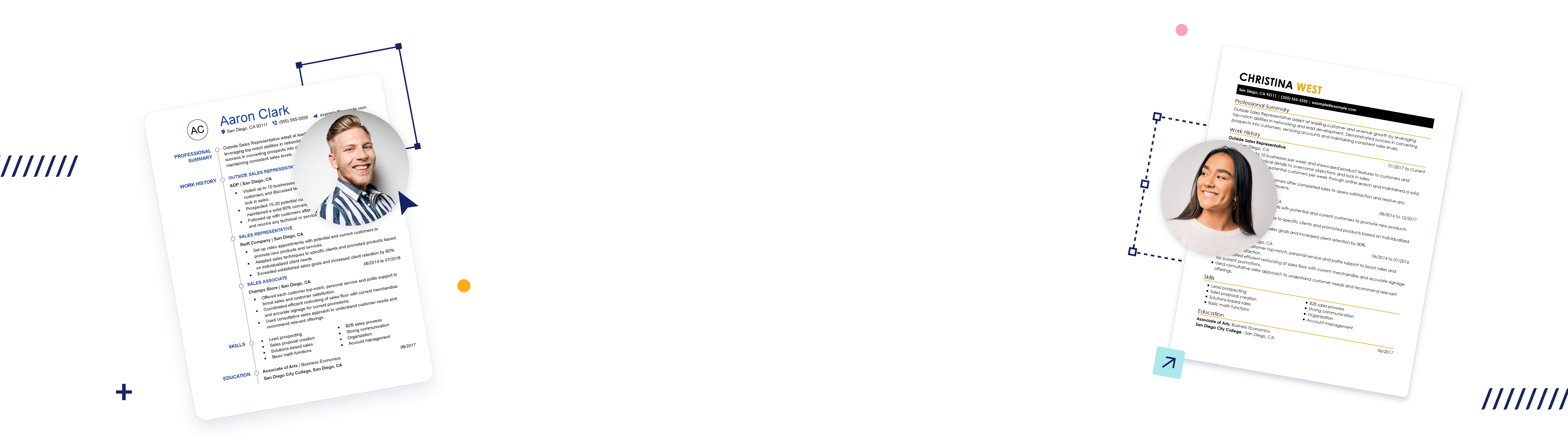
Pick a resume template designed by career experts. Then, simply fill in your information, choose from our auto-generated suggestions and customize the details to fit your needs. Download your resume in an ATS-friendly format and you’re ready to start applying for jobs!
-
Accentuate
-
Acclaimed
-
Artistic
-
Bold
-
Centered
-
Emphasized
-
Insightful
-
Knowledgeable
-
Original
-
Pacific
-
Refined
-
Remarkable
-
Standout
-
Structured


Why Choose Hloom’s Resume Builder?


Check Out Our Cover Letter Builder
Every good resume needs a cover letter. Increase your chances of getting your next job with help from our professional quality cover letter builder.

Different styles to choose
Choose from a variety of styles, all designed to make your cover letter stand out. Pick the one that suits you the most.

We adapt to you
Tell us your work style, and we'll help you establish the correct tone for your cover letter.

Time saver
With pre-written sections, all you have to do is pick the one you want and move on to the next step. It's fast and easy!
Resume Tips, Career Advice and More!
Browse our articles and Career Corner for detailed resume and CV advice, along with other blog posts on job-specific career guidance and other job-related content.


Our Most Popular Resume Examples and Templates
At Hloom, we help you make a great impression with recruiters and employers. Check out our professional examples to discover the most valuable skills and experiences for popular job titles, and download one of our customizable templates to format your next resume easily!


Top Resume Formats
FAQ
Hloom is a site that provides resume building services with downloadable templates to create a fast and easy professional quality experience. You can use these templates to make your resume for your next job application and the builder to provide content suggestions to help fill out your resume.
Additionally, we provide crucial career advice with in-depth writing guides and examples, along with an easy online resume builder to simplify the process.
Our Resume Builder streamlines the writing process by using a simple step-by-step process. You simply select a resume template that you like and follow the automated process to fill in each resume section.
In addition, our builder will:
- Correct grammar and spelling mistakes
- Use formatting optimized for readability and ATS systems
- Incorporate advice by industry experts
- Suggest relevant skills
- Advise on best keywords
Our Resume Builder features two settings: Free and Full Access. Here’s what you receive with each option:
Free:
- Account creation
- Access to the Resume and Cover Letter Builders
- Pre-written suggestions based on job titles and industry needs
- Standard spell-check
- One free plain-text resume download
Full Access:
- Account creation
- Access to Resume and Cover Letter Builders
- Unlocks all customizable resume templates
- Applicant tracking system (ATS) and recruiter-approved templates
- Pre-written suggestions based on job titles and industry needs
- Unlimited downloads and prints
- Unlocks downloadable file formats in .pdf, .docx, .svg, .jpeg and .txt.
- Free file storage for unlimited resumes and cover letters in any file format
- Online access to your resumes and cover letters from anywhere in the world
An ATS is an online software program that most companies rely on to screen resumes and cover letters for suitability to a job opening. They scan your documents for keywords, phrases and experiences that match the job description’s requirements.
The ATS then scores your resume and cover letter according to keyword matches and either passes you up to the recruiter or hiring manager, or automatically terminates your application before human eyes see your resume.
Here at Hloom, it’s our standard to test all our templates to ensure they are ATS-friendly. You can rest assured that your resume is optimized to make it through an ATS scan and give you a better chance of making it to a hiring manager.
As certified resume writers and job seekers, we set out to create an easy online tool that can act as your expert career coach. Our Resume Builder offers the following resume-writing help:
- Section-by-section writing advice and job-related tips.
- Extensive library of job-specific resume suggestions written by certified resume writers and real-world job seekers.
- Regularly updated job descriptions to reflect real-world job descriptions, hiring trends and recruiter language.
In addition to our Resume Builder, we provide guides with resume writing tips, job-related examples, and suggested content based on your unique work history and style.
A resume example is a tool you can use to see how other people have chosen to style and format their resumes so that you can understand the best way to do it yourself.
You can also learn how other job seekers have used certain phrasing on their resumes and adapt this wording to fit your situation.
Use examples to see what you like and don’t like. Then make decisions about how you want your resume to look. Hloom has hundreds of up-to-date resume examples.
Recruiters are familiar with and prefer these popular resume formats:
- Chronological: The most common format, this layout prioritizes your past employment and suits job seekers with over 10 years of experience and evident career growth through promotions and increased responsibilities.
- Functional: Known as the skills-based resume, this layout suits job seekers with strong technical knowledge but unconventional employment such as career changers, contractors, freelancers, job re-entrants, and job hoppers.
- Combination: Also known as the hybrid resume, this layout combines the strengths of the previous two formats to elevate the skills and experience of less experienced job seekers and recent graduates.